melodi99 Casino & Sportsbook Mobile App
Mobile-first access has become essential for users across Indonesia who want to engage with sportsbook markets, live-dealer tables, and slot games on their own schedule. We at melodi99 recognise this shift and have built multiple pathways to access our platform—whether through a native Android APK, an iOS-optimised browser experience, or our responsive web application. Each option is designed to deliver the same account security, payment processing, and game availability you expect from melodi99.

- StartFirst Game
- and
- Installin
- SHA256 Match
Our mobile experience prioritises speed and reliability. Whether you are in Jakarta, Surabaya, Bandung, Medan, Semarang, or Yogyakarta, you can access Liga 1 sportsbook coverage, live blackjack and roulette tables, Aviator and Sweet Bonanza slots, and esports markets for Mobile Legends and Free Fire. Your account, deposit history, and withdrawal requests sync seamlessly across all devices.
This guide walks you through installing melodi99 on your device, understanding the differences between app and browser access, and troubleshooting common setup issues. We also explain how we protect your data and permissions on mobile devices.
Access melodi99 on your mobile device
We offer three primary ways to access melodi99 on mobile. The Android APK is a native application you download and install directly on your device. The iOS browser path uses Safari or Chrome to access our mobile-optimised web interface. The web app works on any smartphone or tablet with a modern browser, regardless of operating system.
How to install melodi99 on your device
Installation varies slightly depending on your device and chosen access method. For Android users, the process involves enabling installation from unknown sources, downloading the APK file, and granting necessary permissions. For iOS users, you simply open a browser and navigate to melodi99. Web app users on any device can bookmark the site for quick access.
- Download: Visit melodi99.app or use the direct download link for Android APK; iOS and web users navigate to melodi99 in their browser.
- Install: Android users tap the downloaded file and confirm installation; iOS and web users proceed directly to account creation.
- Register: Create your melodi99 account with email, username, password, and mobile number; complete identity verification before your first withdrawal.
- Start: Choose your payment method—DANA, e-wallet, mobile banking, local payment, online payment, e-wallet, or bank transfer via mobile banking, local payment, online payment, e-wallet—and begin exploring sportsbook, live-dealer, and slot offerings.
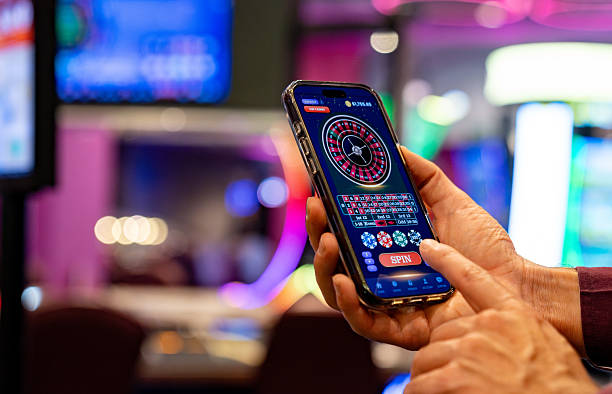
Native app versus browser access on melodi99
Our native Android app offers several advantages over browser access. The app caches game data locally, allowing faster load times and smoother gameplay even on slower connections. Push notifications alert you to live-game updates, withdrawal confirmations, and promotional announcements. The app also integrates more deeply with your device's security features, such as biometric login and encrypted credential storage. However, the web app requires no installation and works immediately on any device; it also receives updates automatically without requiring manual downloads.
App strengths
- Offline caching and faster performance
- Push notifications for live updates
- Biometric login and device integration
Browser strengths
- No installation required; instant access
- Automatic updates without manual download
- Works on any device with a modern browser
Device compatibility and system requirements
Our Android APK requires Android 7.0 or later. Most devices released in the past five years meet this requirement. For iOS, we support Safari and Chrome on iOS 12 and above, covering iPhone 5s and newer models. Our web app works on any device running a modern browser—Chrome, Firefox, Safari, or Edge—on Android, iOS, Windows, or macOS. If your device is older or runs an outdated operating system, the web app remains your most reliable access method.
Troubleshooting common installation issues on melodi99
Android users sometimes encounter a security warning about installing from unknown sources. This is normal; you must enable this setting in your device's security preferences before installing the APK. After installation, you can disable the setting again. Some users report certificate trust warnings in their browser; these occur when your device's date and time are incorrect. Verify your device clock is accurate and try again. If you experience repeated download failures, try using a different browser or clearing your browser cache. For persistent issues, contact our support team through the Help Center.

Data, permissions, and account security on melodi99
When you install our Android app, we request permissions to access your device's internet connection, storage, and camera—the camera permission is used only if you choose to upload a photo for identity verification. We do not access your contacts, messages, or other personal files. All data transmitted between your device and our servers is encrypted using industry-standard SSL/TLS protocols. Your account credentials are stored securely on your device and are never transmitted in plain text. We recommend enabling two-factor authentication on your melodi99 account for additional security. If you lose your device, you can log in from another device and change your password immediately to prevent unauthorised access.
Getting help with melodi99 mobile access
If you encounter issues installing melodi99, logging in, or using the app, our support team is available to help. Visit the Help Center to submit a ticket or browse common questions. We respond to support requests during business hours. Whether you are accessing melodi99 from Jakarta, Surabaya, Bandung, Medan, Semarang, or Yogyakarta, our team can assist with account recovery, payment troubleshooting, and technical issues. We also provide guidance on deposit and withdrawal processes across all payment methods including mobile banking, local payment, online payment, e-wallet, mobile banking, local payment, and bank transfers.